How to Write Beautiful Commits
— git, git-workflow, best-practices
Posts were originally written for the Telegram channel 1, 2.
gitmoji
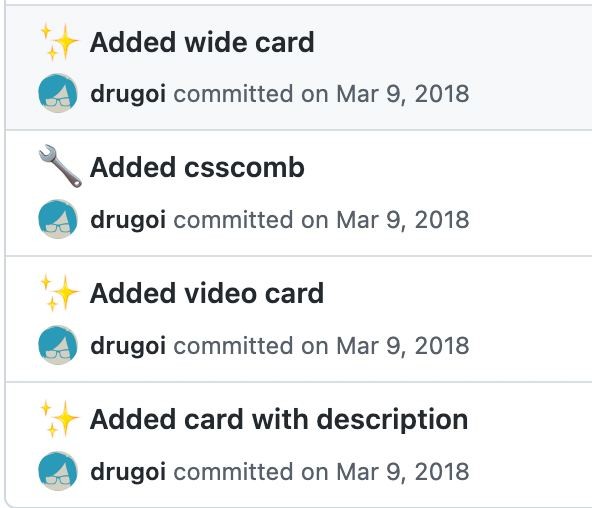
Do your team have any rules for writing commits?
I remember at some point I really liked the idea of gitmoji, however, if you are not on a Mac, then entering emoji is not very convenient.
I used this approach mainly in my own projects and it looked something like this:
Beautiful? Yes. Functional? Well, not really.
Conventional Commits
Then I came to use Conventional Commits (CC) in combat projects.
This is a very convenient agreement that allows you to rid your repository of "fix bug" commits and, as a great bonus, automatic generation of a Changelog with the correct markup and release management.
But for this to work correctly, we need to either find developers with 100% understanding of the matter, or enable commit linting.
Here Commitlint comes to our aid, which, using simple pre-commit hooks, allows you to validate the contents of the commit message and either skip it or throw an error. It is easy to customize and allows you to quickly add a pinch of magic to your development flow.
The only problem I encountered is scopes validation.
Scope in the CC context is where changes that were made in a commit are applied. For example: feat(lang): add Kazakh language
In this example, lang is a scope. There are no strict rules on what can be a scope; you define it as part of your business logic/framework.
But what if our developer writes: feat(LENG): add Kazakh language
From the point of view of commitlint, everything is correct, but from the point of view of Changelog and the management of scopes in general, this is something new and in the future it will be more difficult for you to search for commits related to one scope.
To solve this problem, in the commitlint configuration they came up with the scope-enum rule, which allows you to list the list of allowed scopes in the project. You can build it yourself, or you can use a python script written by my friend Galymzhan - gist.
The script must be placed in the project folder and before executing the script, you must collect data from git log using the command - git log --pretty=format:%s | grep -E '^(\w+)\((\w+|\*)\)' > commits.log
As a result, a csv file will be created, in which the scopes you used will be sorted. All that remains is to clean them and add them to the commitlint configuration.
Done, you're amazing, and your repository is clean and smells delicious.